Online tire change booking: how to get your auto shop ready for the season
How an auto shop can take tire change bookings online: a calendar, SMS reminders, a button in Business Profile and a checklist before the season.
In a single week, the first frosts turn an auto shop into a call center. Customers call to ask about a free slot, then about the price, and then about a slot again, because they didn’t get around to booking. Some of them won’t show up anyway, and you are left with an empty bay.
In this guide I show how to set up online tire change booking, SMS reminders and your Google Business Profile before the season. At the end you will find a calculation for a small auto shop and a checklist to tick off.
Why tires mean the busiest week of the year
The tire change peak usually arrives together with the first frosts, when the average daily temperature falls below about 7°C. That threshold is given in guides by, among others, the police and the tire industry. Then most drivers do the same thing at the same time: they call, drive in without an appointment or join the queue. An auto shop can do only one tire change per bay at a time, so the queue grows faster than it shrinks.
Bookings made in advance even out this peak. The customer picks a slot, and you see ahead of time how much work awaits on a given day. It is simpler than managing a queue on a sheet of paper next to a phone that rings every two minutes.
Are winter tires mandatory?
Be careful with your messages to customers. As of 17 October 2026, Polish law does not impose a general obligation on drivers to use winter tires. The police confirm this, among others, in their guides for drivers. The tire industry has been calling for such an obligation for years, but that is a demand, not binding law. This is not legal advice: check the current regulations before publishing your own text.
It is safer to write about the benefits: better grip on cold surfaces, a shorter braking distance and peace of mind for the winter. Don’t promise customers anything that can’t be confirmed, and don’t cite regulations you can’t point to.
Step 1: a booking calendar instead of a sheet of paper
The foundation is a calendar where the customer picks a free slot on their own. Three things matter for an auto shop:
- visit length set separately for swapping wheels, changing tires on rims and changing with balancing,
- the number of bays, so the system doesn’t sell two slots for one place,
- blocks for breaks, holidays and days when you only work on larger jobs.
From the customer, collect only what is needed: name, phone, car make and model, wheel size and whether they bring their own tires or buy them from you. The shorter the form, the more people will finish it.
I implement a ready-made booking system from PLN 990 net. A live calendar, confirmations and a panel for the business are included in the service.
Step 2: two SMS messages instead of ten phone calls
What takes the most time are calls asking “is this still valid” and empty slots after a customer forgot about the visit. Two short SMS messages solve both problems.
SMS after booking:
Hello, we confirm your visit to [auto shop name]: Tuesday 20 October, 9:30 a.m., tire change. If the date doesn’t suit you, please change it here: [link].
SMS the day before the visit:
This is a reminder about your visit tomorrow at 9:30 a.m. Please bring the full set of wheels and the wheel lock key. If the date doesn’t work for you, please cancel it here: [link].
Pay attention to the cancellation link. A canceled slot can be sold to someone else, while one that isn’t canceled is an empty bay. I set up the SMS gateway as part of the SMS API service from PLN 790 net, and the cost of the messages themselves depends on the provider.
Step 3: a button and posts in Google Business Profile
Many customers look for an auto shop in Google Maps, not on a website. So in your profile it is worth taking care of a few things:
- Booking link. In Business Profile, click Bookings in Search (in Google Maps: Edit profile), choose Add link and paste the address of your calendar. According to Google Help, you can add up to 10 such links and mark one as preferred.
- Category and services. Choose as the primary category the one that best describes your business: type, for example, “auto repair” or “tires” in the category field and pick a matching name from Google’s suggestions. In services, add tire changes, balancing and wheel storage.
- Hours. Set your seasonal hours, including Saturdays.
- A pre-season post. Publish a short post about tire change booking with a button leading to your calendar.
An example post:
Winter tire season is just around the corner. Book your tire change online and choose a time that suits you. Changing a full set of wheels with balancing takes us about 45 minutes.
Button names and booking options in the Google panel change, so check what you see on your end. If your profile is incomplete, I will complete your Google Business Profile and set up the booking link.
An example from a small auto shop: a simple calculation
These are assumptions, not research data, so plug in your own numbers. Take an auto shop with one bay that handles 60 visits in peak week.
| What | Without booking | With booking and SMS |
|---|---|---|
| Calls asking “is there a slot” | 60 × 3 min = 180 min | 20 × 3 min = 60 min |
| No-show customers | 6 visits (10%) | 2 visits (about 3%) |
| Empty bay | 6 × 45 min = 270 min | 2 × 45 min = 90 min |
Under this assumption you win back about 2 hours on the phone and 3 hours in the bay, so about 5 hours a week. Three hours won back in the bay is, at 45 minutes per visit, about 4 more tire changes. Check your own data: how many times last season someone didn’t show up and how many calls a day your shop took.
Step 4: check how you stack up against the competition
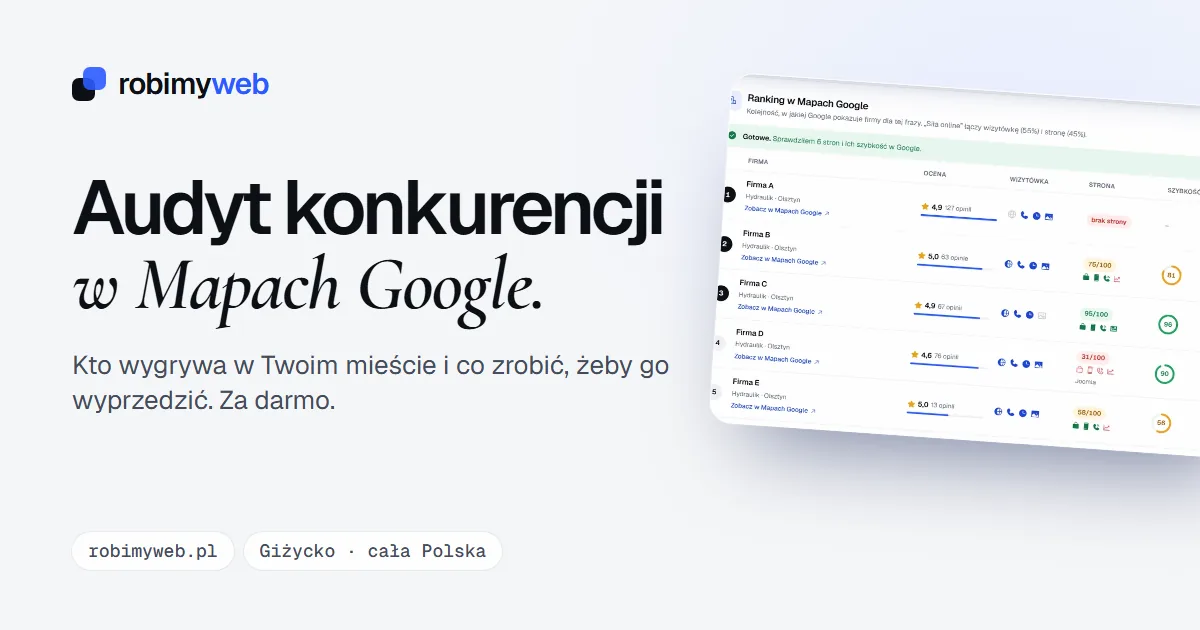
Before the season starts, take a look at your area. In the free competitor audit you enter “tire change” and your city, and after about a minute you see a ranking of auto shops in Google Maps, the number of reviews and how complete the profiles are. You will also see which profiles have a website, phone number, opening hours and photos attached. Whether competitors already have a booking button, you can check by opening their profiles in Maps.
Checklist before the first frosts
- The calendar works and slots for the next 4 weeks are set.
- Visit length is set separately for each type of service.
- The form has only the fields you really need.
- The confirmation SMS and the reminder SMS both have a cancellation link.
- Your Google profile has a booking link and current hours.
- A post announcing booking is published. If not, do it today.
- Your phone number stayed in the profile, because not all customers book online.
- The booking has been tested from start to finish with your own phone.
Summary
Online booking, two SMS messages and a completed profile are three things you can have ready before the first frosts arrive. They make life easier for customers and reduce the number of phone calls and empty slots. Start with the calendar, then add reminders and the link in Business Profile.
If you want me to set this up for you, write to me. I reply within 24 hours, and new clients get 20% off their first order.
Frequently asked questions
No. As of 17 October 2026, Polish law does not impose a general obligation to drive on winter tires, although the tire industry has been calling for one for years. Don’t base your messages to customers on such an obligation. Write about safety and about the dates that are worth booking early.
Not if you keep the phone too. Online booking is meant to relieve the phone line, not replace it. Older customers will still call, and you enter their slot in the same calendar.
Two are usually enough: a confirmation right after booking and a reminder the day before the visit. Include a way to cancel or reschedule in each one. More messages start to annoy people.
It is most convenient to have a website with a calendar, because then the customer books in one place and you see the data in one system. If you don’t have a website yet, start with a completed Google Business Profile with a phone number and opening hours, and add the calendar in the next step.
Ideally before the first frosts arrive, because that is when the phone rings non-stop. Launch bookings and publish a post in Business Profile ahead of time so customers have time to pick a convenient slot.
Related services
Have a similar project?
Describe what you need and I’ll send a quote within 24 hours. New clients get 20% off their first project.