KSeF for online stores: invoices and obligations from 2027
How to prepare an online store for KSeF, Poland’s e-invoicing system: invoice data, integration, plugin checks, testing and receipts with a NIP from 2027.
Many stores issue invoices automatically today: the customer ticks “I want an invoice”, enters their NIP (Polish tax ID), and the document arrives by email. KSeF (Krajowy System e-Faktur, Poland’s national e-invoicing system) changes where an invoice goes and which data has to be correct. If your store issues invoices through a plugin or an external program, you need to check whether that component will be ready.
This guide covers only the technical side: where the store gets its data, how it connects to the invoicing system and what to test. Tax questions (who, from when, which document and what penalties) are for your accountant. I show how to prepare the store so that nothing falls apart once they have decided.
What is known about the deadlines, and why you need to check them
The situation keeps changing, so I don’t base the plan on a single date. On 16 September 2026, Poland’s Ministry of Finance (Ministerstwo Finansów) announced that there will be no penalties for KSeF errors until the end of 2027. This requires amending the law, however, and the bill is still in progress. The obligation for the smallest businesses (up to PLN 10,000 gross in invoices per month) starts on 1 January 2027 regardless. From that date a receipt with a NIP stops being a simplified invoice (faktura uproszczona), and you can no longer issue an invoice from the cash register. Invoices for private individuals do not have to be issued in KSeF, but you can do so voluntarily.
Treat this as a signal to start preparing, not as the final rules. Check the current status of the legislation on gov.pl and with your accountant. What matters for a store is that the time for technical preparation is short, because testing and fixes take weeks.
Step 1: find out who issues the invoices in your store
Start with a simple question: which system creates the sales document? There are three typical setups:
- A plugin in the store (e.g. for WooCommerce) issues the invoice and sends it to the customer.
- An external invoicing program receives the order from the store and creates the document itself.
- An accounting system or ERP (e.g. WAPRO) receives orders and issues documents.
Where the KSeF integration should live depends on this. It’s usually best when a single system is responsible for issuing and sending the document, and the store only passes on the data. Two systems issuing in parallel is a straight road to duplicates.
Step 2: check the data in the order
KSeF is demanding about data, so weak order data will come to light quickly. Check whether the store saves:
- the NIP in a separate field, without spaces or hyphens, with length validation,
- the full company name and an address matching the buyer’s details,
- VAT rates on every line item, including delivery,
- discounts and codes in a way that can be reproduced on the invoice,
- returns and corrections (corrective invoices) linked to the original order.
The most common problem I see is a NIP entered as plain text. It’s good when the store checks the format at checkout and suggests a fix. It’s also worth fetching company details by NIP, as I do in Sklep Żukowscy, because fewer typos mean fewer fixes.
Step 3: receipt with a NIP or an invoice?
This is where most of the questions start, but the tax answer will come from your accountant. For the store, a few technical things matter:
- whether the customer can enter a NIP already in the cart, not only after the purchase,
- whether the NIP is saved with the order and reaches the system that creates the document,
- whether the store distinguishes a private customer from a business and doesn’t mix up their documents,
- whether the order can later be linked to the document in KSeF.
Since from 2027 a receipt with a NIP will not replace an invoice, and an invoice for a business is created in KSeF, the NIP field at checkout stops being an extra. It becomes an important part of the order. Make it prominent but optional.
Step 4: choose how to integrate
You have three routes, and each has its advantages:
| Approach | Who it’s for | Note |
|---|---|---|
| Plugin with KSeF support | a small store on WooCommerce or Shopify | check updates and the maker’s support |
| External invoicing program with KSeF | a business that already uses one | integrating orders with the store |
| Custom integration via API | a large store or a custom engine | cost of implementation and maintenance |
When choosing a plugin, ask the maker a few questions:
- Does the plugin explicitly describe KSeF support, and how does it update it?
- Can I test it in a test environment?
- What happens to the invoice when KSeF doesn’t respond?
- Can I see the KSeF number and the status on the order?
- What does handling of corrections look like?
A lack of clear answers is a signal to look for another solution.
Step 5: plan the data flow and the errors
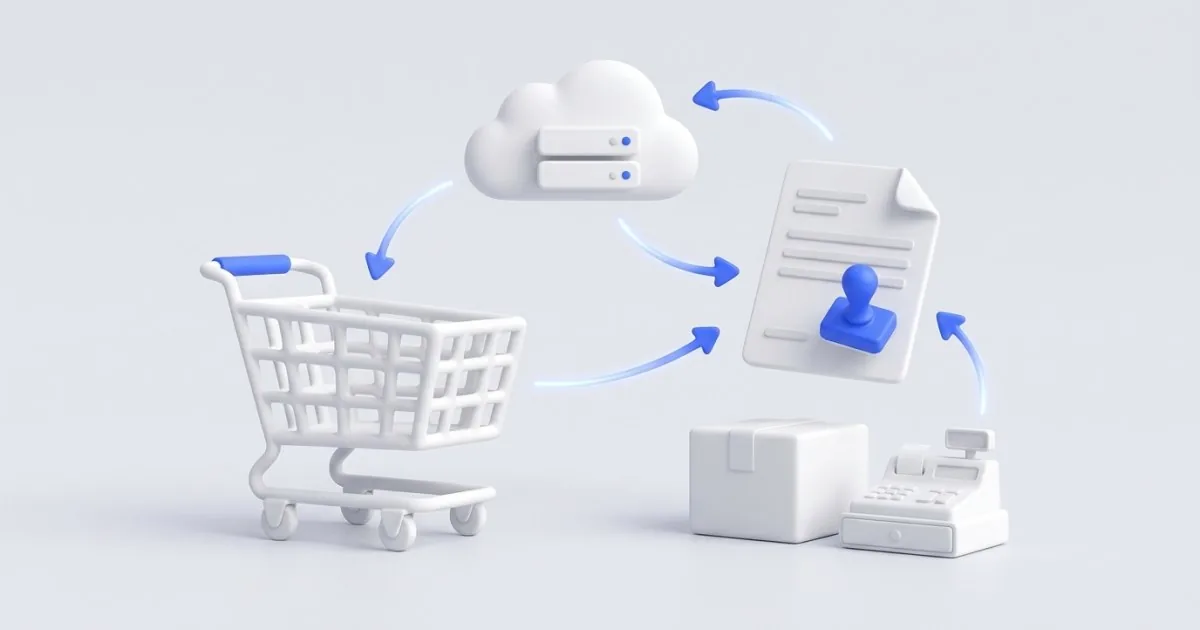
The flow should be simple and predictable:
- The customer places an order, and the store saves the buyer’s details.
- After payment or shipping, the store passes the order to the invoicing system.
- The system creates the document and sends it to KSeF.
- The store receives the number and the status and saves them with the order.
- The customer receives the document by email, and the accountant has it in their system.
The biggest risk lies in errors. Plan what will happen when KSeF is unavailable, the NIP is wrong or the network drops halfway through. A good system retries, doesn’t create duplicates and shows staff a list of documents that need attention. Repeatable flows like this are typical process automation.
Step 6: test before your customer does
Create a set of test orders and check the whole flow for each one:
- a business with a valid NIP,
- a business with an invalid NIP,
- a private person without an invoice,
- an order with several VAT rates and delivery,
- an order with a discount code,
- a partial and a full return, and a correction,
- an order placed while the invoicing system is briefly unavailable.
For each one, check whether the document was created, whether the amounts match the order and whether the status is visible in the panel. Test in the test environment first and only then on real orders. If the store pulls prices and stock levels from a wholesaler, as in a B2B automation, also check that a price change doesn’t break the invoices for earlier orders.
What not to do
- Don’t leave testing to the last minute. Before the deadline, the queue for developers and plugin vendors grows.
- Don’t switch on two systems that issue invoices at the same time. You’ll get duplicates.
- Don’t trust a bare declaration of “we support KSeF”. Ask for documentation and a test.
- Don’t make tax decisions on your own. Settle the requirements with your accountant and only then implement them.
- Don’t forget about backups. Orders, NIPs and document numbers should be in your backup.
If you want to check whether the store meets other legal requirements, I’ll do a store compliance audit. KSeF requires arrangements with your accountant, but the audit will show the gaps on the store’s side.
Summary
For a store, KSeF is mainly about solid order data, a single system issuing documents and well-tested error handling. Confirm the deadlines and the details for receipts with a NIP with your accountant and in official sources, and I’ll take care of the technical side.
If you want to check whether your store is ready, write to me. I can review the order flow, propose an integration or build an online store with an invoice flow ready to go. I reply within 24 hours, and new clients get 20% off their first order.
Frequently asked questions
Not always. You can issue invoices in an accounting or invoicing system that supports KSeF, and the store only passes it the order data. Your own integration makes sense when there are many orders and you don’t want to retype the data by hand.
Only if the plugin’s maker explicitly describes KSeF support and updates it after changes. Ask about a test environment, error handling and what happens to an invoice when KSeF doesn’t respond. Before you switch the plugin on in your store, try it on several test orders.
From 1 January 2027, a receipt with a NIP can still be issued, but it will no longer be a simplified invoice. If a business customer needs an invoice, it is created in KSeF. From the store’s side, this means the NIP must be saved with the order and passed correctly to the system that issues the document. How to treat it for tax purposes, settle with your accountant.
The accountant is responsible for which document has to be issued and when. The developer is responsible for making sure the order data reaches the right system without errors. It’s best to write down the requirements with the accountant first and then hand them to the developer.
Place test orders: a business with a NIP, a private person, a return, a correction and an order with several VAT rates. For each one, check whether the document was created, whether it has a KSeF number and whether the data matches the order.
Related services
Have a similar project?
Describe what you need and I’ll send a quote within 24 hours. New clients get 20% off their first project.