A website for a plumber or electrician: phone calls and requests
A website for a plumber or electrician: a “Call” button, WhatsApp, requests with a photo, service area in Google, prices, reviews and call tracking.
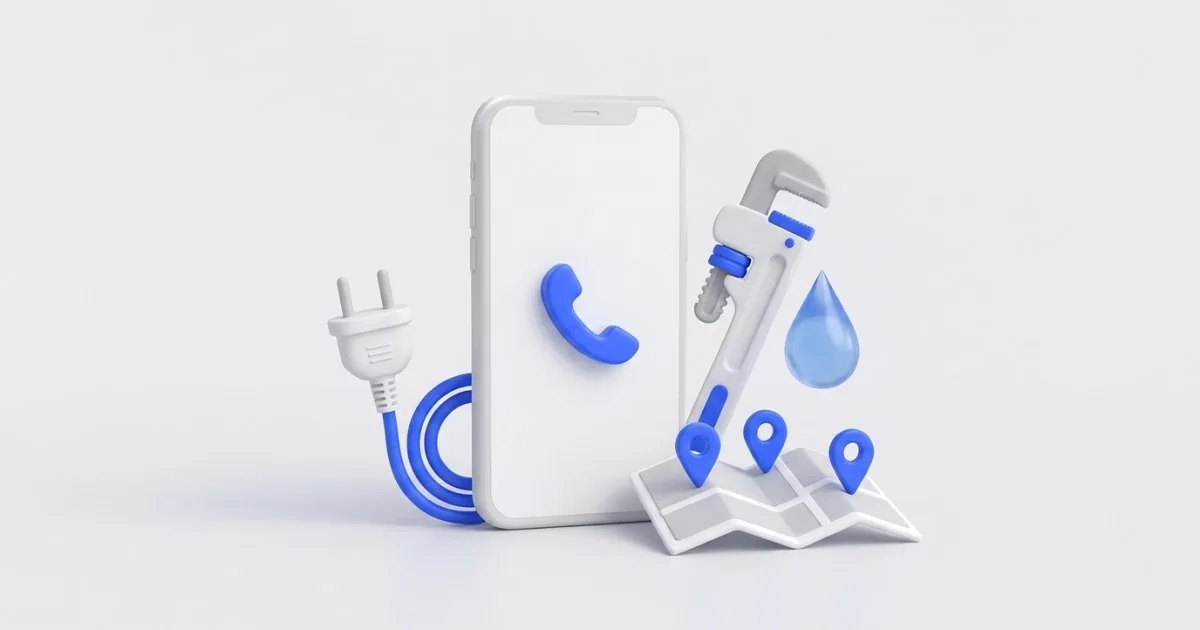
When a pipe is leaking in the bathroom or half the apartment has no power, nobody compares ten offers. The customer picks up the phone, types “plumber” or “electrician” with the name of the city and calls the first business that looks trustworthy, works in their area and has its number at hand.
That is why a website for a plumber or electrician works differently from a construction company website. With a renovation, the customer plans for weeks. Here it is about short jobs and urgent matters: a phone call, a request with a photo, a clear service area and honest prices. Below I describe what must be on such a website and how to check whether it brings in calls.
A “Call” button always under the thumb
On a phone, the number must be visible from the very first moment and clickable. What works best is a bar stuck to the bottom of the screen with two buttons: Call and WhatsApp. It stays in place while scrolling, so the customer doesn’t have to go back to the top of the page or copy the number. On a computer, a number in the header is enough.
This is what it looks like in code. You can pass this snippet on to the person who builds your website:
<nav class="pasek-kontakt" aria-label="Quick contact">
  <a href="tel:+48600000000">Call: 600 000 000</a>
  <a href="https://wa.me/48600000000?text=Hello%2C%20I%20need%20an%20urgent%20repair">WhatsApp</a>
</nav>
.pasek-kontakt { position: fixed; left: 0; right: 0; bottom: 0; display: flex; }
.pasek-kontakt a { flex: 1; min-height: 48px; }
@media (min-width: 900px) { .pasek-kontakt { display: none; } }
Add a margin below the page content so that the bar doesn’t cover the footer. For the button itself, remember three things:
- The number in international format in the link (
tel:+48…), and in the text in a form that is easy to read. - The hours when you answer next to the number, e.g. “I answer Mon–Fri 7 a.m.–7 p.m., Sat 8 a.m.–2 p.m.”.
- A plan for missed calls. Write what happens then, e.g. “I call back within an hour during business hours”, and stick to it. A customer with an emergency who doesn’t get an answer calls the next business.
WhatsApp: a photo of the fault instead of a long description
Many faults are easier to show than to describe: a water stain under the sink, a scorched socket, an error code on the boiler display. A photo on WhatsApp lets you judge whether it is a job for today, what parts to bring and whether you need to go at all.
You create a chat link following the pattern from WhatsApp’s help: https://wa.me/<number>, where you write the number in international format, without leading zeros, the plus sign, brackets or dashes. For the number 600 000 000, it will be https://wa.me/48600000000. When you add ?text= and the encoded text, the customer will see a ready-made beginning of the message in the chat. In the example above, it is “Hello, I need an urgent repair”.
In the WhatsApp Business app, also set up an automatic reply outside business hours, for example:
Hello, thank you for your message. I will reply during business hours, from 7:00 a.m. If water is leaking, please turn off the main valve until then. If you smell burning, please switch off the power at the fuse box.
Note: a WhatsApp button only makes sense if someone checks the messages regularly. A message without a reply does more harm than having no button.
A request form: 5 fields and a photo
Not everyone wants to call. For those people, there is a form, but a short one. This is enough:
- First name, without a surname if it isn’t needed.
- Phone, because you will call back anyway.
- Town or district. You will agree on the exact address during the call.
- What’s happening: a list to choose from (leaking, blocked, no power, sparking, installation) and a field for a description.
- How urgent: today, this week, no rush.
Plus an optional field for a photo. On a phone, a field with accept="image/*" opens the camera or the gallery, so the customer takes a photo without leaving the website. Set a file size limit and check on the server that the uploaded file really is an image.
The form and the GDPR. The data minimization principle (Art. 5(1)(c) GDPR) means that you collect only what is needed for the purpose. To call someone back, you don’t need their PESEL (Polish national ID number), date of birth or a mandatory email address in addition to the phone number. Under the form, place a short notice about who the data controller is and why the data is collected, with a link to the privacy policy. A consent checkbox usually isn’t needed just to respond to a request, because the legal basis is taking steps at the customer’s request before entering into a contract (Art. 6(1)(b) GDPR).
Photos can also be personal data: they show the inside of an apartment, sometimes members of the household or documents on the table, and files from a phone may contain GPS location in their metadata. In the form, ask for a photo of the fault only, remove the metadata after upload and decide how long you keep photos. This is general guidance as of 5 November 2026, not legal advice.
Service area: on the website and in your Google Business Profile
A customer with an emergency wants to know one thing: will you come to them? Answer this directly, high up on the home page:
- a list of towns and districts where you work, instead of a general “the whole region”,
- travel rules, e.g. “within city limits travel is included, beyond that by zone”,
- a realistic response time, e.g. “emergencies usually the same day, installations within a week”, if that is really the case.
Set the same area in your Google Business Profile. In its Business Profile help, Google writes that you can specify up to 20 service areas (cities, postal codes or other areas), and their boundaries should cover places no more than 2 hours’ drive from your business location. You can’t define the area as a radius around your base. If you travel to customers and they don’t come to your address, Google recommends removing the address from the profile and keeping only the service area.
The second trap is the business name. Google’s guidelines for representing your business prohibit adding to the name, among other things, opening hours, phone numbers, service descriptions, locations and marketing taglines. “Plumber 24h Kraków Cheap” instead of your real name can end with your profile being suspended. Enter your services in the categories and the description, and your hours in the hours field.
I set up and optimize Google Business Profiles from PLN 490 net, and manage them from PLN 349 per month. You can also check your category, phone number, hours and reviews yourself with my free Google Business Profile audit.
24-hour emergencies and prices: only what is true
“24/7 emergency service” on a website is a promise. If nobody answers at night, the customer will often describe it in a review. Write exactly how you work: “emergencies also on weekends, 8 a.m.–8 p.m.” is better than “24 h” that you won’t live up to. In your Business Profile, Google asks for the regular hours when you serve customers, so set the profile to open 24 hours only if you really answer at night. False information about availability may also be considered a practice that misleads consumers.
It is similar with prices. Every fault is different, but you know some of the costs in advance. Show them in a simple table and enter your own amounts:
| Item | Gross price |
|---|---|
| Call-out within city limits | PLN … |
| On-site diagnosis | PLN …, deducted from the repair |
| Hourly rate | from PLN … |
| Replacing a washbasin faucet | from PLN … + faucet |
| Replacing a socket or a switch | from PLN … |
| Night and holiday surcharge | +… % |
Under the table, write what the final amount depends on: access to the installation, materials, urgency. A customer who knows the ballpark figure is less often surprised by the bill.
If you work for private individuals, give prices including VAT. The ustawa o informowaniu o cenach towarów i usług (Poland’s Act on Informing About the Prices of Goods and Services) states outright that the price includes value added tax (Art. 3(2)). When you announce a reduction in the price of a service, show the lowest price from the 30 days before the reduction next to it (Art. 4(2) of this act).
Trust: reviews, project photos and licenses
Customers are letting a stranger into their home. That is why, before calling, they check who is going to come.
- Google reviews. Show a few real ones on your website, with information about where they come from, and state whether and how you check that they come from customers. Reply to every one of them in your profile. I described reply templates for good and bad reviews in the guide How to reply to Google reviews.
- Project photos. Real ones, taken with a phone, but sharp: a new distribution board, a replaced riser pipe, a connected water heater. Plus a short caption: what wasn’t working, what was done and in which town. No apartment numbers, faces or customer documents.
- Licenses. An electrician usually shows a qualification certificate (świadectwo kwalifikacyjne), commonly called “SEP licenses” (after Stowarzyszenie Elektryków Polskich, the Association of Polish Electrical Engineers), although exams are also run by other qualification boards. On your website, be specific: the group (G1 is electrical power equipment, G3 is gas equipment, which matters when a plumber also works with gas), the type (E is operation, D is supervision) and the expiry date. Under Art. 54 of the Prawo energetyczne (Poland’s Energy Law), qualification certificates expire 5 years after they are issued, so show current ones.
- Invoice and warranty. The sentence “I issue an invoice and give a … month warranty on the work” dispels many doubts.
Measurement: how many calls the website brings in
Without measurement, you don’t know whether your website and ads pay off. The minimum is three data sources:
- GA4: clicks on the number, on WhatsApp and submitted forms as separate events, marked as key events. You then see which sources the people who get in touch come from.
- Google Business Profile performance stats: calls and website clicks from the profile. Add UTM parameters to the website link in your profile, so that visits from the profile don’t get mixed up in GA4 with ordinary search results.
- Google Ads, if you advertise. Google Ads measures calls from ads and clicks on the phone number on your mobile website. Without this, the system sets bids blindly.
An example from my work: on a building inspection website in Gdynia, I count calls from ads, calls from the website and forms together. Thanks to this, I know that in September 2026 one contact from the campaign cost PLN 47 against a target of PLN 80. I set up measurement in GA4 from PLN 990 net, and Google Ads campaigns from PLN 990 net for the setup plus from PLN 790 per month or 15% of the budget.
A click on the number doesn’t always mean a conversation. Call tracking gives the full picture: you know which ad, campaign and keyword the customer is calling from. My Haloskop system also sends the customer a text message after a missed call, which is useful when your hands are busy with an installation. Haloskop call tracking is implemented by StartOrbit, a company I co-own: from PLN 990 net for implementation and from PLN 249 per month.
Summary
A plumber’s or electrician’s website has one job: to make a customer with an emergency call you. What counts is a “Call” button and WhatsApp under the thumb, a short form with a photo, a clear service area, and true hours and prices. Measurement will show you which of these elements really bring in calls.
To start, a Starter website on a ready-made theme adapted to your industry, from PLN 1,490 net, is enough. If you want a custom design and an editing panel, choose a turnkey business website from PLN 4,900 net. Tell me what you do and which towns you work in, and you will get a quote within 24 hours. New clients get a 20% discount on their first order.
Frequently asked questions
The profile gives your phone number, a map and reviews, but it has little room for a price list, your service area, licenses and a form with a photo. A website is also useful when you want to run Google Ads and measure how many calls come from them. To start, a simple website with a “Call” button is enough.
No. Google’s guidelines prohibit adding hours, services, locations and marketing taglines to the name, and such changes can end with your profile being suspended. Set your hours in the hours field and the cities in your service area.
Usually not just for calling back about a request, because the legal basis is taking steps at the customer’s request before entering into a contract (Art. 6(1)(b) GDPR). What you do need is information about who processes the data and why. This is general guidance as of 5 November 2026, not legal advice.
Give what you know in advance: the call-out fee, the diagnosis, the hourly rate and a few typical jobs with a “from” price. Show private customers gross prices, that is, including VAT. Under the price list, write what the final amount depends on.
Set up events in GA4 for clicks on your number, on WhatsApp and for the form, and check the number of calls in your Business Profile. If you pay for ads, call tracking will show which campaign and keyword the customer is calling from.
Related services
Have a similar project?
Describe what you need and I’ll send a quote within 24 hours. New clients get 20% off their first project.