How to make a website for free: 5 ways and the costs
How to make a website for free: Google Sites, Wix, WordPress.com, WebWave and the builder. Limits of the free plans and the cost after a year.
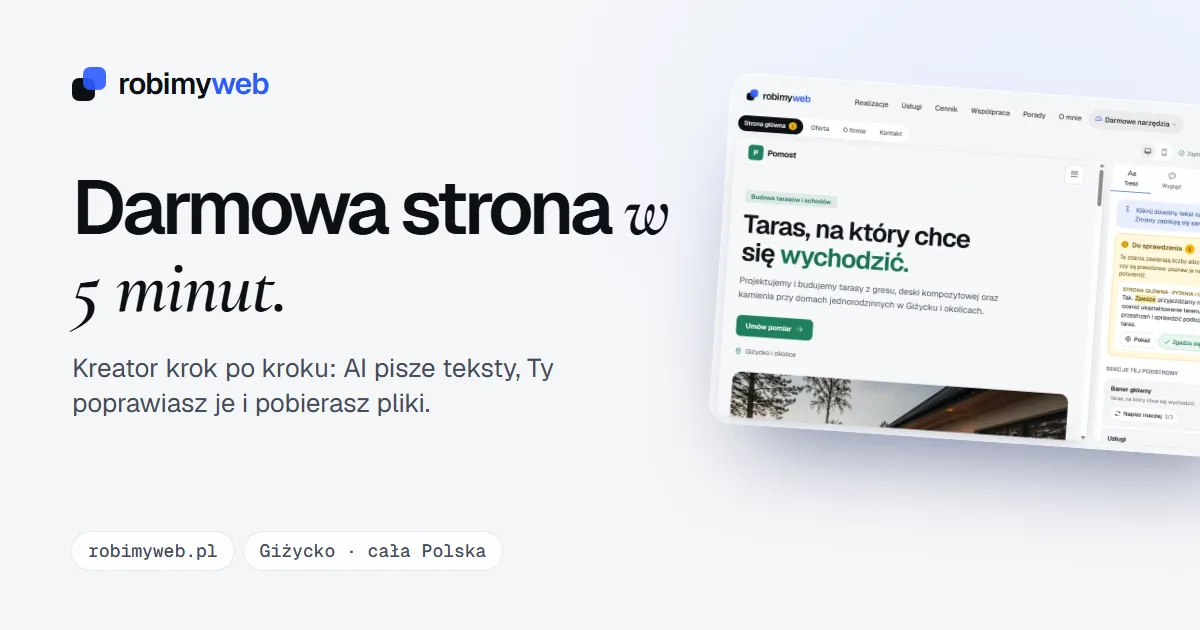
A free website sounds good, but “free” almost always comes with conditions. Sometimes it is an address on someone else’s domain, sometimes the provider’s ads on your website, and sometimes a bill that arrives only after a year. That is why, before you choose a tool, it is worth knowing exactly what you get and how much you will pay later.
In this guide I compare five ways available in Poland: Google Sites, Wix, WordPress.com, WebWave and my website builder. For each one I checked what is really free, what its limitations are and how much it costs from the second year. At the end I explain what to do if your business had a free website from its Google Business Profile.
What in a website can be free
Every website on the internet needs three things:
- a tool you build it in (a builder or an editor),
- hosting, i.e. space on a server from which the website is served,
- a domain, i.e. the address, e.g. yourcompany.pl.
Free builder plans usually give you the first two. The website then runs at an address on the provider’s domain, e.g. on wixsite.com or wordpress.com, and some providers show their ads on it. Your own domain always costs money. The paid builder plans in this comparison give it to you free only for the first year, and after that you pay for renewal.
5 ways to a free website: a comparison
Data and net prices (excluding VAT) according to the providers’ pricing and help pages, as of 24 October 2026. Offers change and some prices are promotions, so check the current pricing and the renewal price before you buy.
| Method | What you get for PLN 0 | Limitations without paying | Own domain |
|---|---|---|---|
| Google Sites | the tool and hosting | an address on the sites.google.com domain | can be connected, you only pay for the domain |
| Wix | free plan | Wix ads, an address on wixsite.com, up to 500 MB | on a paid plan |
| WordPress.com | free plan | WordPress.com ads, an address on wordpress.com, no plugins, 1 GB | on a paid plan |
| WebWave | 14-day trial | no permanent free plan | on a paid plan |
| RobimyWeb builder | the builder, AI-written texts and the website files | a credit line in the footer, hosting and domain are on your side | on your hosting |
Google Sites
Google Sites is free for people with a Google account. You put the website together from ready-made blocks and publish it at an address on the sites.google.com domain. According to Google’s help pages, you can connect your own domain bought from a registrar to a published site, and Google may ask you to confirm ownership of it in Search Console. On a work or school account, the domain is connected by the administrator.
Wix
According to Wix’s help pages, a website on the free plan has an address on the wixsite.com domain, Wix ads on every subpage and up to 500 MB of space. You can connect your own domain only on a paid plan. The cheapest of them, Light, costs PLN 52.53 net per month when paid a year in advance, which is about PLN 630 net per year. In the first year you get a free domain with it.
WordPress.com
WordPress.com is WordPress with hosting from the provider. It is the same system as WordPress installed on your own hosting, but with different rules and prices. The free plan runs at an address on the wordpress.com domain, has 1 GB of space for files and does not let you install plugins, and visitors see WordPress.com ads. The ads disappear on the Personal plan, where you can also use your own domain. It costs PLN 144 net in the first year (a special offer) and then PLN 168 net per year, with a free domain for the first year.
WebWave
WebWave is a Polish website builder. There is no longer a permanent free plan: WebWave itself writes on its blog (June 2026) that a 14-day trial period replaced it, and you can connect your own domain on a paid plan. With annual billing, the One pager plan (one subpage) costs PLN 23 net per month and Pro (no limit on subpages) PLN 30 net per month. The annual plan gives you a .pl domain for the first year, and its renewal costs PLN 149 according to the pricing.
RobimyWeb builder
My builder works differently: instead of a subscription, you get the files of a finished website to download. You don’t pay for the builder, the AI-written texts or the files, and the only condition is a credit line in the footer (“Wykonanie: RobimyWeb”, meaning “Made by RobimyWeb”). The builder doesn’t provide hosting or a domain, so you upload the website to your own hosting. I describe the details below.
What a “free” website costs after a year
The first year can be cheap in every variant. The differences show from the second year, when the free domain and promotional prices end. For a website without ads and with your own domain, it looks like this (net, per year):
- Google Sites: PLN 0 for the tool and hosting, you only pay for domain renewal at the registrar.
- Wix: the Light plan about PLN 630 plus domain renewal.
- WordPress.com: the Personal plan PLN 168 plus domain renewal.
- WebWave: the One pager plan PLN 276 or Pro PLN 360, plus PLN 149 for renewing a .pl domain.
- RobimyWeb builder: a domain and the simplest hosting from a provider of your choice, with no charge for the builder.
How much the domain alone costs depends on the registrar. In the guide on the cost of maintaining a website I collected prices as of 14 October 2026: renewing a .pl domain cost from PLN 58.99 to PLN 240 net per year. There you will also find hosting prices after the promotion and the pitfalls of cheap introductory offers.
When comparing offers, work out the cost of three years and divide it by three. A single invoice for the first year says little, because the free domain and promotions end precisely after a year.
The free website from the Google Business Profile no longer works
Until 2024, Google let you build a simple website directly in your Business Profile, at an address ending in business.site. Google switched these websites off in March 2024. Until 10 June 2024 the old address still redirected customers to the listing, and then it stopped working. Google also removed business.site addresses from the “Website” field in the profile.
The listing itself still works: the reviews, photos and opening hours remained. If your business used such a website, do this:
- Build a new website using one of the methods in this guide.
- Enter its address in the “Website” field in your Business Profile.
- Remove the old business.site address everywhere it may have remained: on Facebook and Instagram, in email footers, on printed business cards, in business directories.
- Check your Google Ads. Google paused ads linking to business.site from 1 March 2024, until their address was changed.
- Point your own domain at the new website, if it was connected to the Google website. You do this in the panel of the company where the domain is registered.
You can check in a few seconds whether the website is correctly linked in the listing with the Google Business Profile audit.
RobimyWeb builder: what you get and what you pay for
You describe your business: the name, industry, city and a few sentences about what you do. On that basis, AI writes the texts for four subpages: the home page, the offer, “About the company” and contact. In the editor you correct the texts, add a logo, photos and real customer reviews, and choose a color and a typeface. The builder highlights sentences with numbers and promises in yellow so that you can check them before downloading.
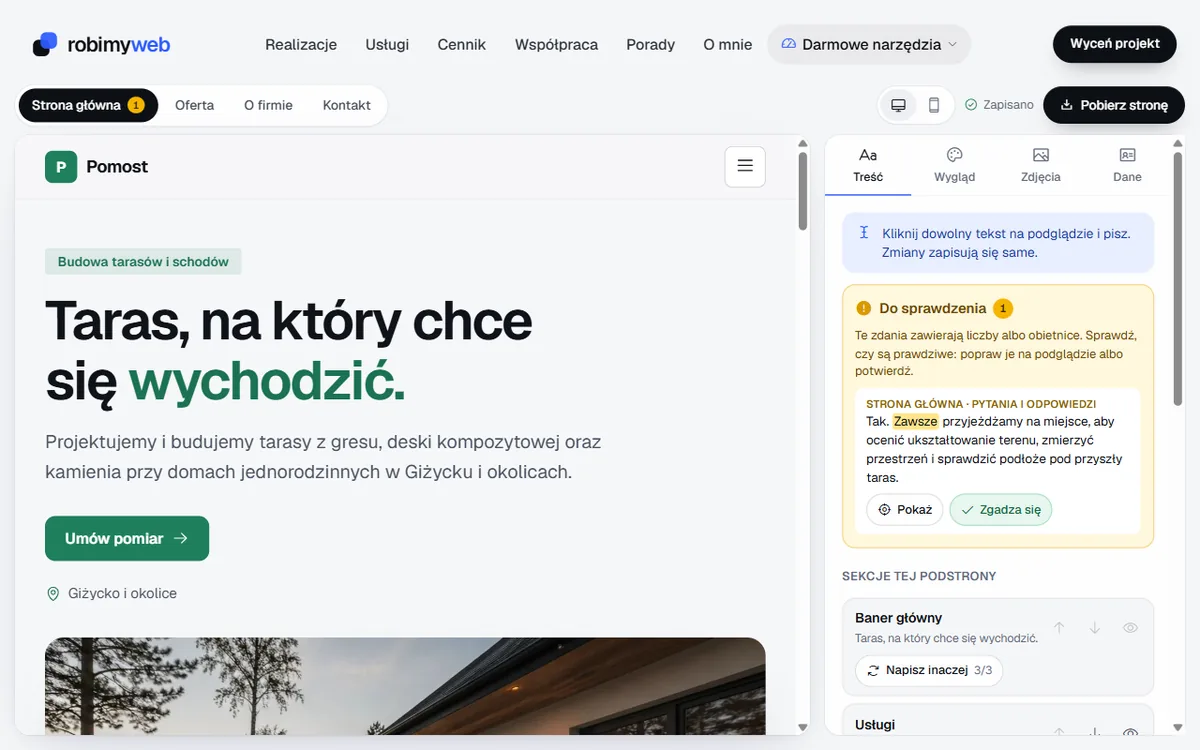
You download the finished website as a ZIP package, and the link arrives by email. The package contains:
- 4 subpages, a privacy policy and a 404 error page,
- titles and descriptions for Google, business data for search engines, a sitemap and an llms.txt file for AI chats,
- photos in the lightweight WebP format and instructions for uploading to hosting.
The website is plain files, with no WordPress and no database, so it works on any hosting. A sample website from the builder, made without any changes to the code, scored 100 points on a phone in Google Lighthouse for accessibility, best practices and SEO (measured on 9 October 2026).
The limits of the free version are shown in the builder as you go: 3 new websites per day per email address, 3 uses of “Rewrite” per website, up to 20 photos and a logo, each up to 2 MB. The draft waits for 7 days from the last change, and after that you make changes in the files or commission me to do it.
What you pay for: the domain and hosting from a provider of your choice. If you don’t want to upload the files yourself, I will do it for PLN 190 net, or PLN 152 net for new customers. I can also provide the domain and hosting as a separate service, from PLN 390 net per year.
Try the free website builder for businesses: you will see a home page with texts for your industry and city after a dozen or so seconds.
Which method to choose
- You want to test an idea without spending money: Google Sites or the free Wix or WordPress.com plan. Expect an address on someone else’s domain, and on Wix and WordPress.com ads as well.
- You want to edit the website in the browser and don’t mind a subscription: a paid Wix, WordPress.com or WebWave plan. Work out the three-year cost, including the domain.
- You want to own the files and pay only for the domain and hosting: my builder. Remember that 7 days after the last change you edit the website in the files.
- You need a store, bookings, online payments or many subpages for services and cities: free tools quickly run out here. A better fit is the Starter website from PLN 1,490 net or a custom-built website.
Summary
You can make a website for free, but a website with your own domain and without someone else’s ads costs money in every variant, from the second year at the latest. So compare the cost after a year, not the price at the start. If you want to own the website files, make a website in the builder. If you’d rather have someone do everything for you, write to me: I reply within 24 hours, and new customers get 20% off their first project.
Frequently asked questions
Yes, but with limitations. Google Sites and the free Wix and WordPress.com plans cost nothing, but the website has an address on the provider’s domain, and Wix and WordPress.com show their own ads on it. Your own domain, e.g. yourcompany.pl, is paid, from the second year at the latest.
No. Google switched off websites with a business.site address in March 2024, and the redirect to the listing worked until 10 June 2024. The listing itself still works, but you have to build the website in another tool and enter its address in the “Website” field.
It depends on the method. In builders with a subscription you pay for a plan without ads and with your own domain, e.g. Wix Light about PLN 630 net and WordPress.com Personal PLN 168 net per year (pricing as of 24 October 2026), plus domain renewal. For a website made of files, e.g. from my builder, you pay only for the domain and the simplest hosting.
Yes. The builder, the AI-written texts and the website files cost nothing and there is no subscription. The only condition is a credit line in the footer (“Wykonanie: RobimyWeb”, meaning “Made by RobimyWeb”). You pay only for hosting and a domain from a provider of your choice, and if you like, you can commission me to upload the website.
Yes. In Google Sites you can connect your own domain without changing tools, while in Wix and WordPress.com it requires a paid plan. The files from my builder go onto hosting with your own domain from the start, and you can move them to another hosting company. With a builder that has a subscription, check in its help pages whether and how you can move the website to another provider.
Related services
Have a similar project?
Describe what you need and I’ll send a quote within 24 hours. New clients get 20% off their first project.