Business emails going to spam? SPF, DKIM and DMARC step by step
Why quotes and invoices land in spam: SPF, DKIM and DMARC in plain language, Gmail and Outlook requirements and settings in OVH, home.pl and nazwa.pl.
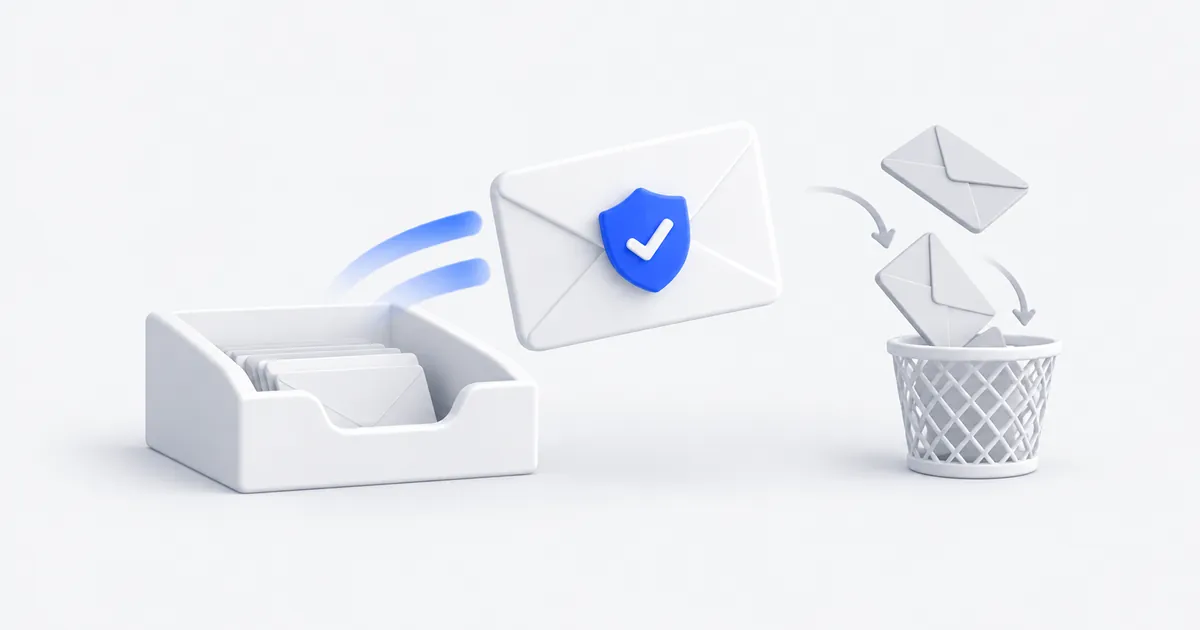
You send a quote, and the client never receives it. An invoice sits in the spam folder. Someone gets an “urgent transfer request” from an address that looks like yours. These three problems often share a cause: your company’s domain doesn’t have SPF, DKIM and DMARC records set up correctly.
They are three short entries in the domain settings (DNS). They don’t require new software or changing your mailbox, and in many businesses they have been missing for years. Below I explain what they are, what Gmail, Yahoo and Outlook require and how to set them up safely.
SPF, DKIM and DMARC in one paragraph
- SPF is a list of servers that may send email from your domain. The recipient checks whether the email came from a server on this list.
- DKIM is a digital signature. Your mail server signs every email, and the recipient checks the signature with a public key stored in DNS. The signature confirms that the email was really sent by your domain and that nobody changed it along the way.
- DMARC tells the recipient what to do with an email that claims to come from your domain but fails SPF or DKIM: let it through, put it in spam or reject it. It also sends you reports on who is sending email in your name.
For an email to pass DMARC, it must pass SPF or DKIM, and the domain from that check must match the sender address that the recipient sees.
What Gmail, Yahoo and Outlook require
Since February 2024, Gmail and Yahoo have required all senders to have at least SPF or DKIM, a valid reverse record (PTR) for the sending server and a low rate of spam reports (below 0.3%). Gmail also requires an encrypted connection (TLS).
Companies that send about 5,000 emails a day or more to Gmail must have both SPF and DKIM, a DMARC record and a one-click unsubscribe link in marketing emails. Since November 2025, Google has been tightening enforcement: emails that don’t meet the rules may be rejected temporarily or permanently.
Since 5 May 2025, Microsoft has required the same of domains that send more than 5,000 emails a day to Outlook.com, Hotmail and Live mailboxes: SPF, DKIM and DMARC at least in monitoring mode. Emails that don’t meet the requirements go to the Junk Email folder or are rejected with error 550 5.7.515.
Your company probably doesn’t send 5,000 emails a day. But mail servers assess every message, and an email without SPF and DKIM is less trustworthy to them. That is one of the reasons why an ordinary quote ends up in spam.
Is it a legal obligation?
In Poland, the ustawa o zwalczaniu nadużyć w komunikacji elektronicznej (Act on Combating Abuse in Electronic Communications, Journal of Laws 2024, item 1803, art. 24) requires email providers with at least 500,000 users and public bodies to use SPF, DKIM and DMARC. A small private company is not subject to this obligation. CERT Polska (Poland’s national computer security incident response team), however, recommends these safeguards for everyone, including domains that don’t send any email at all, because fraudsters like to exploit exactly those.
Step 1: check what you have now
Before you change anything, check your current records:
- in my Check your website tool, which shows MX, SPF and DMARC along with the rest of the website,
- in the CERT Polska tool Bezpieczna Poczta (Secure Mail), in Polish,
- by sending a test email to the address from learndmarc.com, which shows step by step how the recipient checks SPF, DKIM and DMARC.
Also list all the services that send email with your domain in the sender field. Besides the mailbox, these can include: an invoicing program, an online store, a newsletter, a CRM, a form on the website. Each of them must be included in SPF or sign its emails with a DKIM key, otherwise once DMARC is tightened its emails will start landing in spam.
Step 2: fix SPF
An SPF record is a TXT entry in the domain’s DNS, e.g. for email at OVH:
v=spf1 include:mx.ovh.com ~all
The most common mistakes:
- Two SPF records. A domain may have only one. When you add a new service, e.g. Google Workspace, add it to the existing record instead of adding a second one:
v=spf1 include:mx.ovh.com include:_spf.google.com ~all. - Too many services. SPF allows at most 10 DNS lookups, counted together with nested entries. After the limit is exceeded, the whole record stops working.
- Ending in
+all. It means that any server in the world may send email from your domain.
The ending ~all means “other servers probably aren’t allowed to send”, and -all means “they aren’t allowed”. It is safer to start with ~all. Switch to -all only when you are sure all services are in the record.
Step 3: turn on DKIM
You turn on DKIM in your email provider’s panel, which generates the keys itself. The recommended key length is 2048 bits. Example paths:
- OVHcloud (MX Plan): Web Cloud → MX Plan → your domain → “Informacje ogólne” (General information) tab → red “DKIM” label in the “Diagnostyka” (Diagnostics) column → “Włącz” (Enable). In Email Pro it is the “Przypisane domeny” (Assigned domains) tab. Activation takes from 30 minutes to 24 hours.
- home.pl: “Panel Klienta” (Client Panel) → “Domeny” (Domains) → the chosen domain → DKIM section → “Włącz” (Enable). It works when the domain and hosting are both at home.pl.
- nazwa.pl: “Panel Klienta” (Client Panel) → “Usługi” (Services) → “Domeny” (Domains) → “konfiguruj” (configure) → “Ustawienia zaawansowane” (Advanced settings) → “SPF, DKIM, DMARC”. The key is added automatically only when the domain uses nazwa.pl DNS servers.
If you also send email from other services (newsletter, invoices), turn on DKIM in them too. Each has instructions in its settings for adding its own record.
Step 4: add DMARC and tighten gradually
A DMARC record is a TXT entry under the name _dmarc, e.g.:
v=DMARC1; p=none; rua=mailto:dmarc@yourcompany.com
The p policy has three levels:
p=none, meaning observation only. Nothing changes in email delivery, but you start receiving daily reports at the address fromrua.p=quarantine: emails that fail verification go to spam.p=reject: such emails are rejected and don’t arrive at all.
Start with p=none and read the reports for a few weeks. The reports are XML files, so they are easier to browse in a free DMARC analysis tool. When the reports show only your own services with valid SPF or DKIM, move to quarantine, and after a few more weeks to reject. Microsoft and CERT Polska recommend exactly this gradual transition. Since May 2026, a new version of the DMARC standard (RFC 9989) has been in force. Instead of the old pct parameter, which let the policy cover only a share of emails, it introduces a testing mode t=y.
On my own domain, robimyweb.pl, I moved from p=none to p=quarantine after checking that all my emails, from the mailbox and from the form on the website, pass SPF.
Bonus: your logo next to emails (BIMI)
When DMARC is set to quarantine or reject, you can show your company logo next to your emails in the recipient’s inbox. This technology is called BIMI and requires a logo in SVG Tiny PS format and a certificate (a VMC for a registered trademark or a CMC without trademark registration). It’s a nice extra for companies that send a lot of email to customers, but don’t start with it.
The most common symptoms and their causes
| Symptom | Likely cause |
|---|---|
| Quotes land in spam at customers’ | No SPF or DKIM, email sent from a server outside SPF |
| Emails from the invoicing program land in spam | The program isn’t in SPF and doesn’t sign emails with DKIM |
| Customers get forged emails “from you” | No DMARC or p=none |
| Email rejected with error 5.7.26 or 5.7.515 | Gmail or Outlook rejected an email lacking the required verification |
How much it costs
The records themselves cost nothing; all you need is access to the domain panel. If you don’t want to do it yourself, I set up SPF, DKIM and DMARC as part of technical maintenance from PLN 149 a month or during a security audit from PLN 990. I prepare a domain and business email with a ready configuration from PLN 390 a year. All prices are net.
Check your domain
Enter your website address in the Check your website tool and see how email on your domain performs. If something needs fixing, send me the report from under the result or write through the form. I will reply within 24 hours, and new clients get a 20% discount on their first order.
Frequently asked questions
There is no legal obligation; in Poland it applies to large email providers and public bodies. In practice, without SPF, DKIM and DMARC, emails from your domain land in spam more often, and it is easier for a fraudster to impersonate your address.
It can, if you send email from a service that is not in your SPF record and does not sign emails with a DKIM key, e.g. an invoicing program or a newsletter. That is why you start with p=none mode, read the reports and only then tighten the policy.
The DNS changes themselves take a dozen or so minutes. They usually work after a few minutes, at the latest after 24 hours. A safe move from monitoring to full protection takes from a few weeks to two months, because you have to wait for reports.
The simplest way is my “Check your website” tool, which checks MX, SPF and DMARC along with the rest of the website, or the free tool Bezpieczna Poczta (Secure Mail) from CERT Polska (Poland’s national computer security incident response team). It is best to check DKIM by sending a test email to the address of a tool such as learndmarc.com.
Related services
Have a similar project?
Describe what you need and I’ll send a quote within 24 hours. New clients get 20% off their first project.